The Witcher 3 Update: Everything You Need to Know About the Remaster
Get the latest insights on The Witcher 3 update. Discover the massive improvements to combat, visuals, and gameplay in this definitive remastered guide.
Updated: The Witcher 3 Wiki Editorial Team
Table of Contents
The continent has never looked more inviting, and for fans of Geralt of Rivia, this massive The Witcher 3 update serves as the perfect reason to return to the path. Whether you are a newcomer or a seasoned veteran, understanding how to navigate the significant changes in this remaster is essential for mastering your journey.
This update represents a complete overhaul of the 2015 classic, introducing modernized lighting, refined combat mechanics, and a revamped skill system that fundamentally changes how you approach monster hunting. In this guide, we will break down exactly what has changed, why these updates matter for your gameplay, and how to optimize your settings for the best experience.
Visual Overhaul and Technical Enhancements
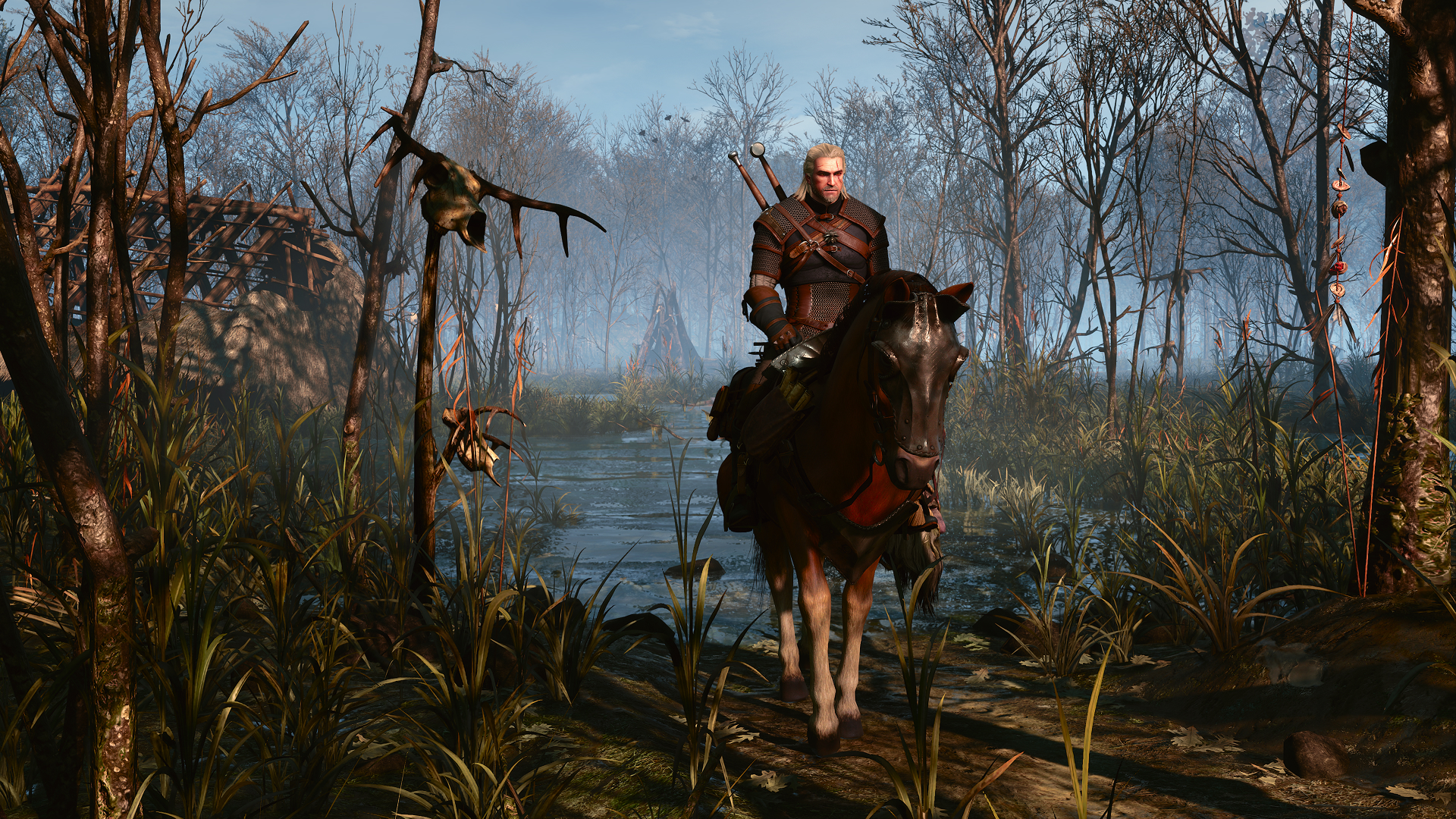
The most immediate impact of The Witcher 3 update is the visual fidelity. CD PROJEKT RED has implemented a modernized lighting engine, featuring path tracing on PC and improved texture work across the board. These aren't just cosmetic tweaks; they change how you perceive the world.
Key Visual Upgrades
Feature
Improvement Details
Impact on Gameplay
Path Tracing
Real-time light simulation
Significantly more realistic shadows and reflections
Texture Quality
Assets from HD Reworked Project
Sharper environment and NPC details
Lighting Engine
Reworked Bloom and HDR
Better color contrast in varying weather
Upscaling Tech
DLSS 4.5, FSR 4, XeSS 2.0
Smoother frame rates at higher resolutions
Tip
Optimizing Visuals
If you notice a "washed-out" look after the update, try disabling "Bloom" in the Video settings. Community reports suggest this often fixes color balance issues while waiting for platform-specific hotfixes.
Mastering the Reimagined Skill System
Perhaps the most significant change in The Witcher 3 is the skill tree. Moving away from the rigid point-gating of the original 2015 release, the new system mirrors the interconnected branch structure seen in modern RPGs. You no longer need to invest in "filler" skills just to reach the ones you actually want.
Skill System Comparison
Aspect
Original 2015 Version
Remastered Version
Progression
Tier-locked by points
Branching tree based on prerequisites
Flexibility
Limited by strict rows
High; mix-and-match builds earlier
Reset Mechanic
Potion of Clearance only
Skill points reset upon update
By removing the strict point limits, the game now encourages experimentation. You can branch into Alchemy or Signs much earlier in your playthrough. Why does this matter? Because it allows you to define your playstyle—whether you prefer a fast-paced sword fighter or a sign-heavy mage—from the very first few hours of the game.
Combat and Traversal Improvements
The combat in The Witcher 3 has often been criticized for feeling "floaty." This update addresses these concerns directly by introducing revamped animations and an adaptive camera that zooms in during small-scale encounters to provide a more intimate, visceral experience.
Combat Modernization Highlights
Adaptive Camera: Automatically shifts FOV for better visibility in close-quarters combat.
Quick Casting: Improved fluidity between sword strikes and sign usage.
Movement Overhaul: Mantling, vaulting, and ladder climbing feel significantly more responsive.
Roach Navigation: Smart navigation helps the horse weave through dense forests automatically, reducing frustration during travel.
According to player feedback, the ability to harvest herbs while remaining in the saddle is a "game-changer" for exploration. No longer do you need to dismount every thirty seconds to gather alchemy ingredients.
Accessibility and Quality of Life
CD PROJEKT RED has introduced a dedicated "Accessibility" tab in the settings, featuring the "Bard's Ballad" preset. This is not a difficulty mode, but rather a set of tools designed to reduce cognitive load for players who struggle with fatigue or concentration.
Essential Accessibility Features
Vitality Regeneration Boost: Customize how quickly Geralt heals.
Unlimited Durability: Removes the need to visit craftsmen constantly.
Ignore Item Weight: Allows you to carry everything you loot without inventory management headaches.
Toggle Witcher Sense: Enables the mode without requiring you to hold down a button.
These features are highly customizable. You can enable specific assists like "Infinite Breath" or "Faster Boats" independently, allowing you to tailor the experience to your personal comfort level. You can find more details on these features on the official Witcher 3 website.
Modding and Platform Integration
The integration of Mod.io brings cross-platform mod support to PC, Xbox Series X/S, and PlayStation 5. This ensures that console players can finally enjoy the same community-created content that PC players have had access to for years.
Modding Steps for Console
Link Account: Connect your CD PROJEKT RED account in the main menu.
Access Mod Manager: Navigate to the "Mods" section.
Browse: Select community-created quests, weapons, or balance tweaks.
Install: Apply changes directly within the game interface.
FAQ: Frequently Asked Questions
Q: Do I need to start a new save for The Witcher 3 update?
A: While you can load existing saves, the skill tree has been completely rebuilt, which will result in your skill points being reset. It is highly recommended to start a fresh game to fully experience the rebalanced progression.
Q: Does this update include the expansions?
A: Yes, The Witcher 3 update includes both Hearts of Stone and Blood and Wine as standard, regardless of which version you previously owned.
Q: Is the remaster free for current owners?
A: Yes, the update is a free upgrade for anyone who already owns the base game on Steam, GOG, Epic Games Store, PlayStation 5, or Xbox Series X|S.
Q: How do I enable the new accessibility features?
A: Simply navigate to Settings > Accessibility. You can toggle options like "Ignore Item Weight" or "Bard's Ballad" presets at any time during your playthrough.