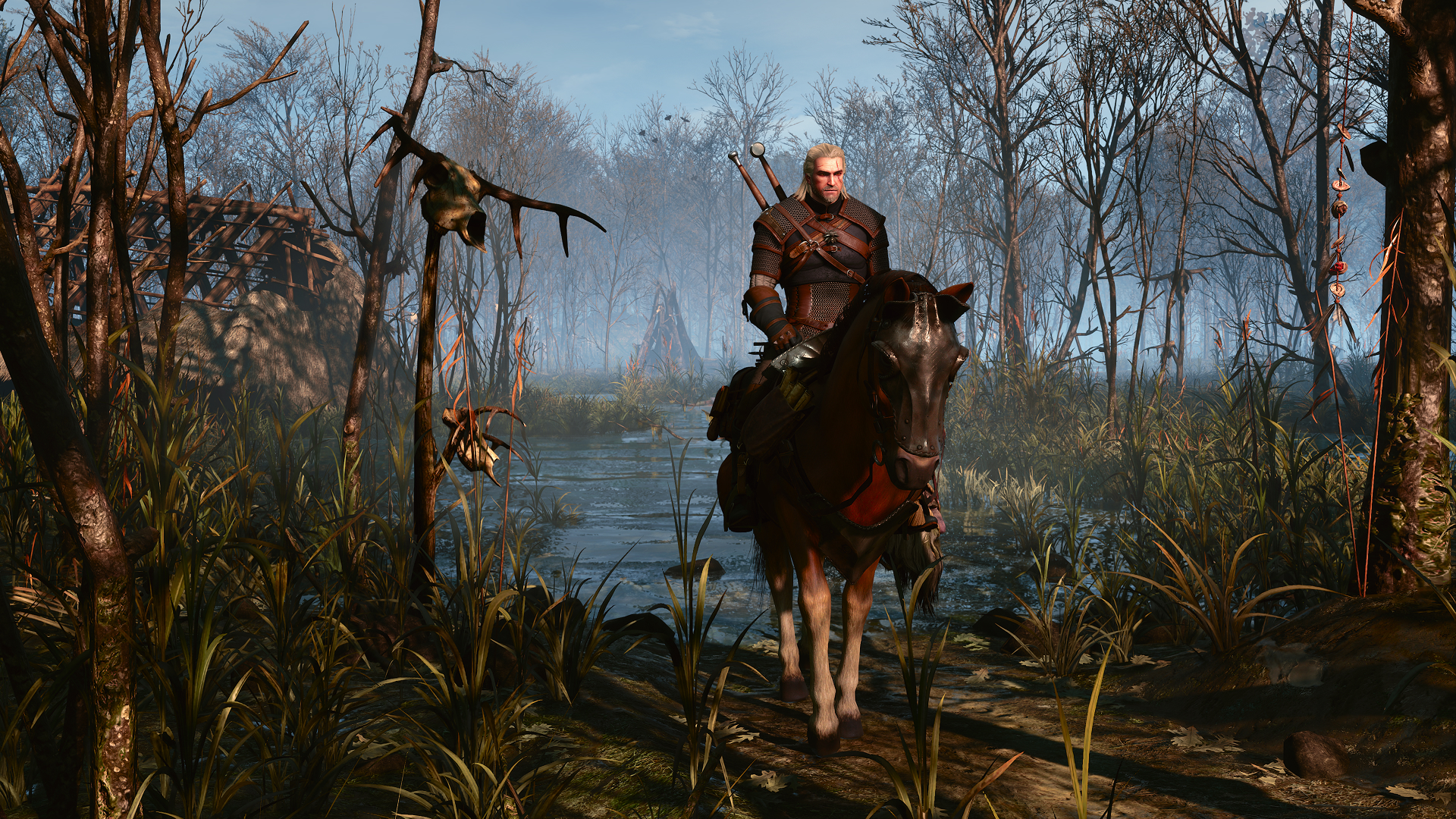
The Witcher 3 PC: Ultimate Performance Guide and Optimization
Discover how to optimize The Witcher 3 PC for the best visuals and performance. Get expert tips on ray tracing settings, hardware requirements, and more.
Updated: The Witcher 3 Wiki Editorial Team
Table of Contents
The Continent has never looked more breathtaking, yet mastering the modern technical landscape of The Witcher 3 on PC requires more than just high-end hardware. Whether you are a veteran returning for another playthrough or a newcomer stepping into Geralt’s boots for the first time, understanding how to balance the game's updated visual fidelity with stable frame rates is essential for a premium experience.
This guide explores the definitive ways to optimize The Witcher 3 PC, ensuring your journey through the Northern Kingdoms remains as smooth as it is immersive. From managing advanced ray tracing settings to troubleshooting performance bottlenecks, we break down exactly how to get the most out of your rig.
Understanding the Technical Leap
The latest version of the game introduces a suite of graphical overhauls that significantly elevate the visual quality. However, these changes—ranging from real-time global illumination to ultra-plus foliage density—come with a cost. The transition to DirectX 12 has made the game notably more CPU-intensive compared to its original 2015 release.
For players aiming for high-fidelity visuals, the impact of ray tracing cannot be overstated. By replacing traditional cube maps with dynamic light bounces, the game creates a sense of depth previously unseen in the series. However, these settings are demanding, and knowing how to tune them is key.
Key Visual Upgrades Overview
Feature
Impact on Visuals
Performance Cost
Ray Traced GI
High (Natural Lighting)
Very High
Ultra+ Foliage
High (Density/Distance)
Moderate
RT Shadows
Moderate (Sharp/Soft)
High
RT Reflections
Moderate (Water/Surfaces)
High
Optimizing Your PC Hardware
To achieve a consistent 60 FPS or higher, your hardware must meet the demands of the modern engine. CD PROJEKT RED has updated the requirements to reflect the heavy lifting now handled by the CPU and GPU. According to official system specifications provided by the developers, an SSD is now mandatory for smooth asset streaming.
Recommended Hardware Tiers
Tier
Target Resolution
Recommended GPU
Recommended CPU
Entry
1080p Low
GTX 1660 / RX 5500 XT
Ryzen 5 2600 / i5-8400
Performance
1080p High
RTX 2060 Super / RX 6600 XT
Ryzen 5 3600X / i7-8700K
Enthusiast
4K Ultra + RT
RTX 4070 Ti / RX 7900 XT
Ryzen 7 9800X3D
Tip
CPU Bottleneck Management
Low GPU utilization alone does not prove a CPU bottleneck: frame caps, VSync, loading and other limits can also cause it. Compare frame-time and CPU/GPU measurements in the same scene before choosing settings.
Mastering Settings for Stability
Many players encounter "stutter" or inconsistent frame times during intense combat or when entering new zones. Community reports suggest that these are often related to shader compilation. While the game does not have the massive compilation issues seen in some other titles, it is important to allow the game to finish its initial caching process in each new area.
If you are struggling with performance, prioritize these adjustments:
Compare Ray Tracing Modes: Turning off RT may improve performance, but the gain depends on the GPU, resolution and scene. A universal 30–40% boost or an RTX 40-series cutoff is not established by the cited requirements.
Use Upscaling: Enable DLSS or FSR 2.0. These technologies are essential for maintaining high resolutions without sacrificing frame rate.
Limit Framerate: Use an external limiter (like NVIDIA Control Panel) to lock your FPS to your monitor's refresh rate to avoid fluctuating frame times.
Gameplay and Quality of Life Improvements
Beyond the visuals, The Witcher 3 PC offers significant gameplay refinements that modernize the 2015 classic. The overhauled skill tree provides more flexibility for different playstyles, allowing you to focus on signs, alchemy, or swordplay with greater impact.
Essential Gameplay Tweaks
Camera Adjustments: The new adaptive camera makes combat feel more kinetic. If you find it disorienting, you can revert to the classic camera in the settings.
Quick Casting: Utilize the new sign-casting hotkeys to swap between signs mid-combat without opening the radial menu.
Cross-Platform Mods: Support for community-made mods is now more robust; check the official community hub for the latest recommended stability mods.
Addressing Common Performance Issues
Sometimes, even with the best hardware, you may run into specific glitches. Players have noted that reflection quality on water surfaces can occasionally display artifacts in areas like Skellige. If you encounter this, toggling "Screen Space Reflections" may help until a future patch resolves the specific RT reflection pathing.
Issue
Potential Solution
Shader Stutter
Clear cache and let the game compile in a safe area
Camera Jitter
Disable V-Sync in-game and use G-Sync/FreeSync
RT Shadow Popping
Lower RT Shadow quality to 'Medium'
Warning
Avoid Over-modding
While modding is a major part of the PC experience, adding too many visual overhauls can conflict with the native engine updates. Always test your performance after installing new mods.
FAQ: The Witcher 3 PC
Q: Is it worth enabling Ray Tracing on mid-range hardware?
A: Generally, no. The performance cost is too high for mid-range cards. Stick to high-quality rasterized settings for a more stable experience.
Q: Why does the game require Windows 11?
A: The modern engine version utilizes advanced DX12 features that are better optimized for the Windows 11 kernel and scheduler.
Q: Can I use my old save files?
A: Yes, your save files remain fully compatible with the updated version, and cross-progression is supported across platforms.
Q: How do I improve performance in dense cities?
A: Lowering the "NPC Density" setting is the most effective way to reduce CPU load in crowded areas like Novigrad or Toussaint.